100% Cloud Ready!

ebook ad big

Lightroom Preset – Polaroid 669

Tue, Dec 30, 2008

Presets

polaroid_669_insert

Wayyyyyy back in February 2008, Polaroid announced it would cease production of all instant film. The New York Times recently published a piece on the legacy of the Polaroid – and it was with this that the reality of the situation took hold.

And … unfortunately, our favorite Polaroid instant film of ALLLLL TIME – Polaroid 669 (ISO 80 Color Film), is on the chopping block as well.

As we bid farewell to this great brand, we’ll also pay tribute to Polaroid 699 by immortalizing some of our favorites traits of this film with 2 presets that are … as always … free for the taking!

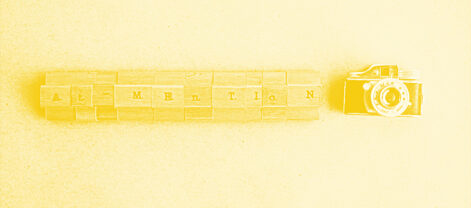
The first preset titled: x=polaroid+yellow, brings in the yellow color cast we always cherished along with the heavily blown out highlights that 669 just loved to give us – willing or not.

polaroid_669_yellow
{x=preset=polaroid+yellow}

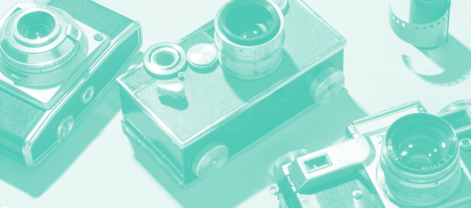
The second preset titled: x=polaroid+cyan, brings in the (you guessed it) cyan color cast that would occur when 669 didn’t want to give you a yellow color cast.

polaroid_669_cyan
{x=preset=polaroid+cyan}

Ok, yes we know there are many technical reasons for this shift in color whether it be yellow or cyan .. but let’s just have some fun here ok?

This is not like any other x=preset

One change to the use of this preset is the introduction of the yellow and cyan color cast in each preset – along with an easy way to manage them. Maybe you’re saying to your self, “that’s not yellow, I want it MORE yellow, no … no …I want red instead of cyan”. With one mouse-click you can set the cast to whatever you want.

We created these color casts by applying 2 Graduated Filters which run horizontally or vertically (based on orientation) across your image when applied.

Here’s a quick tutorial on how you can manage the color cast:

Head over to the Develop module with your desired image and apply either preset.

With your image selected, head over to the Graduated Filter:

ploaroid_tut1

This will open the graduated filter panel where we can get to the color cast properties of our filters:

ploaroid_tut2

Youre image will show two small circles which represent the midway point of each of the 2 graduated filters we have applied:

ploaroid_tut3

When selecting either one of these control points, you will then be able to select any color you want to cast over the image:

ploaroid_tut41

For those of you starting to dabble into the world of Graduated Filters and localized adjustments this should set you off on a new path to Lightroom mastery – we just love these things!

A couple tips when using this preset

  • Requires Lightroom 2.0+
  • This preset applies a generous +1.75 exposure shift so start by adjusting Exposure or attack via the Tone Curve to get the desired “blown-outed-ness”
  • To manage the tight contrast that 669 exhibits adjust the Contrast slider to punch the image just right

Now that you’re armed with this new gem … create some images of your own and share them on our flickr group.

click_here_to_download2

|Brandon Oelling
x=photography+consulting – technology. leadership. commitment.

Check out some related posts!

  1. Hands on the Thermostat! – Color Temperature in Monochrome
  2. Correcting Color Cast with Lightroom
  3. Mastering HSL in Lightroom – Part 3 of 3
  4. Mastering HSL in Lightroom – Part 1 of 3
  5. Tying it all together – a Lightroom Preset Platform
  6. Lightroom Preset – Holga
  7. Lightroom Preset – City Scapes
  8. Lightroom Preset – Ekta Chromeo
  9. Lightroom Preset – Kodak Tri-X 400
  10. Lightroom Preset – TMax 3200

, , ,

100% Cloud Ready!

ebook ad big

11 Comments For This Post

  1. Eric Says:

    Thanks Brandon. I can’t wait to try these. Also, thanks for the little tutorial on graduated filters. I will experiment with those too.

  2. Brandon Oelling Says:

    Thanks Eric!

    Keep rocking those GREAT images in the flickr group too!

  3. shmileblik Says:

    thank you for all your great process! I love them! Just a tiny prob here, I can’t see how to download those polaroid process?
    Happy new year!!!!

  4. Brandon Oelling Says:

    Download via the “Download the Goods” button above.

    … and Happy New Year to you too!

  5. Jeff Says:

    Hey Brandon! Very cool preset you created here. Thanks for the tips on using it. I just got to experimenting with it and like the flexibility here. A very good preset man. Thank You!

  6. Brandon Oelling Says:

    Glad you like it!

    Share some images in the flickr group once you have some time to play with it.

  7. Andy Says:

    Awesome as usual Brandon

  8. Sunny Says:

    Thank you, Brandon.

  9. Brandon Oelling Says:

    This preset, along with the Polaroid Generator by ‘rawimage’:

    http://rawimage.deviantart.com/art/Polaroid-GENERATOR-V1-42651542

    Has allowed me to fine tune my Polaroid emulation to a point where I’m TOTALLY digging it!

    Sample output:

    http://www.flickr.com/photos/xequals/3245257324/in/pool-xequals

  10. tom l Says:

    This is really excellent! Thank you for sharing! :)

  11. Matt Roberts Photography Says:

    I have been looking for something like this for a long time. Thanks so much!

4 Trackbacks For This Post

  1. It’s time to get polaroided. | PresetsHeaven Says:

    [...] These two presets are created by 2 graduated filters that can be adjusted more as you wish. For more details about how they work and how to modify them, you should read more at Brandon’s blog [...]

  2. LR/ACR Preset: Polaroid 669 | LifeInDigitalFilm Says:

    [...] method of split-toning. For a much more different approach try X=blog’s version of Polaroid HERE [...]

  3. Amy Dunn’s Photography Blog : Aviator Amy (Mia & Wasabi, too!) Says:

    [...] I popped in the photos into an editing program and processed the images to have a Polaroid 669 film kind of feel. Voilà! Done. Even though the formula differs, I achieved similar results. Just remember, it only [...]

  4. the Blog of Stefan Sager - Lightroom presets Says:

    [...] I dessa tre första används Polaroid 669 (http://x-equals.com/blog/?p=1022) [...]

Leave a Reply

100% Cloud Ready!

ebook ad big

Camera gear we love ...
Studio Essentials ...